Phosphor Vector Icons
Drawlib bundles the complete Phosphor Icons (https://phosphoricons.com) vector glyph family via drawlib.icons.phosphor—offering over 1,500 razor-sharp vector icons across 5 typographic weights—alongside the low-level font_icon() function for custom TrueType icon fonts.
1. Overview of Phosphor Vector Icons
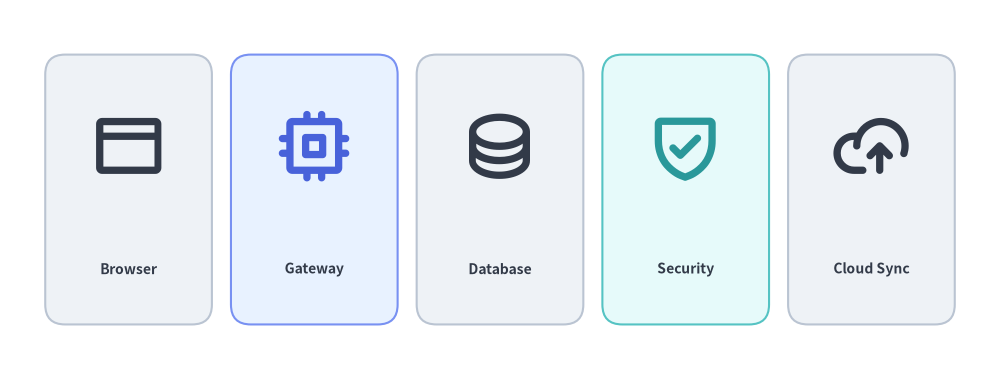
Source Code
from drawlib.canvas import save, setup
from drawlib.icons import phosphor
from drawlib.shapes import rectangle
from drawlib.styles import Styles
from drawlib.text import text

setup(width=126, height=48)

items = [
    ("Browser", phosphor.browser, Styles.Neutral, Styles.DarkBold),
    ("Gateway", phosphor.cpu, Styles.PrimaryNeutral, Styles.PrimaryBold),
    ("Database", phosphor.database, Styles.Neutral, Styles.DarkBold),
    ("Security", phosphor.shield_check, Styles.SecondaryNeutral, Styles.SecondaryBold),
    ("Cloud Sync", phosphor.cloud_arrow_up, Styles.Neutral, Styles.DarkBold),
]

for i, (label, icon_fn, card_st, icon_st) in enumerate(items):
    cx = 16.2 + i * 23.4
    rectangle((cx, 24), width=21, height=34, style=card_st.patch(shape_r=2.5))
    icon_fn((cx, 29.5), width=9.5, style=icon_st)
    text((cx, 14), label, style=Styles.DarkBold.patch(text_size=10.0))

save()
2. Function Signature & Styling Parameters
Every Phosphor icon is exposed as a function named after the icon in snake_case:
from drawlib.icons import phosphor

phosphor.<icon_name>(
    xy: tuple[float, float],
    width: float,
    *,
    style: Style,
) -> None
| Parameter / Style Field | Type | Default | Description |
|---|---|---|---|
xy |
tuple[float, float] |
Required | Anchor coordinate (x, y) of the icon (center-aligned by default). |
width |
float |
Required | Icon width in canvas units (height scales proportionally at a 1:1 aspect ratio). |
style |
Style |
Required | Preset or patched Style controlling weight, color, alignment, offset, rotation, and opacity. |
style.icon_style |
"thin" | "light" | "regular" | "bold" | "fill" |
"thin" |
Typographic stroke weight of the Phosphor glyph. |
style.icon_color |
tuple[int, int, int] | Color |
Theme color | Glyph color (automatically mapped by preset styles like Styles.PrimaryBold, Styles.DarkBold, Styles.WhiteBold). |
style.halign |
"left" | "center" | "right" |
"center" |
Horizontal anchor alignment relative to xy[0]. |
style.valign |
"bottom" | "center" | "top" |
"center" |
Vertical anchor alignment relative to xy[1]. |
style.xy_shift |
tuple[float, float] | None |
None |
Relative (dx, dy) coordinate offset rotated along with angle. |
style.xy_abs_shift |
tuple[float, float] | None |
None |
Absolute (dx, dy) coordinate offset independent of angle. |
style.angle |
float |
0.0 |
Counterclockwise rotation angle in degrees around xy. |
style.alpha |
float |
1.0 |
Opacity from 0.0 (transparent) to 1.0 (fully opaque). |
3. Typographic Weights (thin, light, regular, bold, fill)
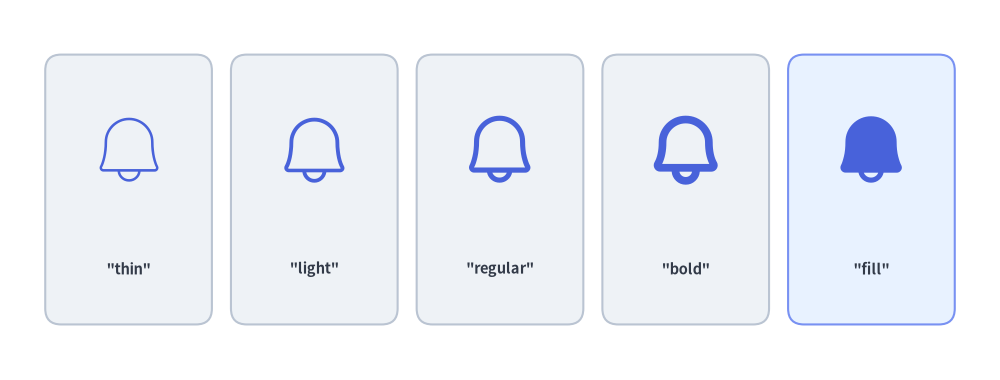
Phosphor vector icons support 5 typographic weights controlled via style.patch(icon_style=...) or preset style suffixes (*Light -> "light", *Bold -> "bold", *Flat -> "fill"):
"thin": Ultra-fine stroke for subtle background watermarks."light": Delicate line weight for dense technical schemas."regular": Balanced standard stroke for general diagram nodes."bold": Prominent heavy stroke for primary gateways and services."fill": Solid filled silhouette for active states, badges, and alerts.
from drawlib.canvas import save, setup
from drawlib.icons import phosphor
from drawlib.shapes import rectangle
from drawlib.styles import Styles
from drawlib.text import text

setup(width=126, height=48)

weights = ["thin", "light", "regular", "bold", "fill"]

for i, w_name in enumerate(weights):
    cx = 16.2 + i * 23.4
    card_st = Styles.PrimaryNeutral if w_name == "fill" else Styles.Neutral
    rectangle((cx, 24), width=21, height=34, style=card_st.patch(shape_r=2))
    phosphor.bell((cx, 29), width=10, style=Styles.Primary.patch(icon_style=w_name))
    text((cx, 14), f'"{w_name}"', style=Styles.DarkBold.patch(text_size=10.5))

save()
4. Semantic Coloring, Rotation & Opacity
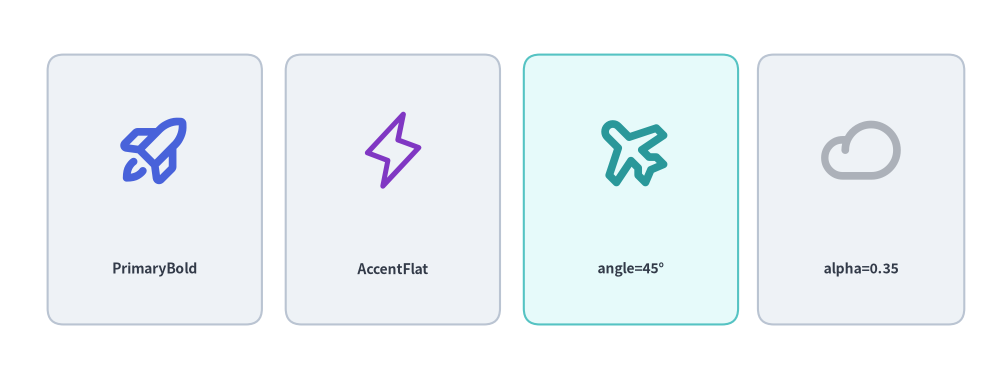
Because Phosphor icons are rendered as vector glyphs, you can tint them with any preset theme style (Styles.PrimaryBold, Styles.SecondaryBold, Styles.DarkBold, Styles.WhiteBold), rotate them via angle, or fade them via alpha:
from drawlib.canvas import save, setup
from drawlib.icons import phosphor
from drawlib.shapes import rectangle
from drawlib.styles import Styles
from drawlib.text import text

setup(width=126, height=48)

# 1. Semantic PrimaryBold
rectangle((19.5, 24), width=27, height=34, style=Styles.Neutral.patch(shape_r=2))
phosphor.rocket_launch((19.5, 29), width=10, style=Styles.PrimaryBold)
text((19.5, 14), "PrimaryBold", style=Styles.DarkBold.patch(text_size=10.0))

# 2. Filled Accent Silhouette
rectangle((49.5, 24), width=27, height=34, style=Styles.Neutral.patch(shape_r=2))
phosphor.lightning((49.5, 29), width=10, style=Styles.AccentFlat)
text((49.5, 14), "AccentFlat", style=Styles.DarkBold.patch(text_size=10.0))

# 3. Rotated Icon (angle=45)
rectangle((79.5, 24), width=27, height=34, style=Styles.SecondaryNeutral.patch(shape_r=2))
phosphor.airplane((79.5, 29), width=10, style=Styles.SecondaryBold.patch(angle=45))
text((79.5, 14), "angle=45°", style=Styles.DarkBold.patch(text_size=10.0))

# 4. Semi-Transparent Icon (alpha=0.35)
rectangle((108.5, 24), width=26, height=34, style=Styles.Neutral.patch(shape_r=2))
phosphor.cloud((108.5, 29), width=10, style=Styles.DarkBold.patch(alpha=0.35))
text((108.5, 14), "alpha=0.35", style=Styles.DarkBold.patch(text_size=10.0))

save()
5. Pairing Phosphor Icons with Shapes & Badges
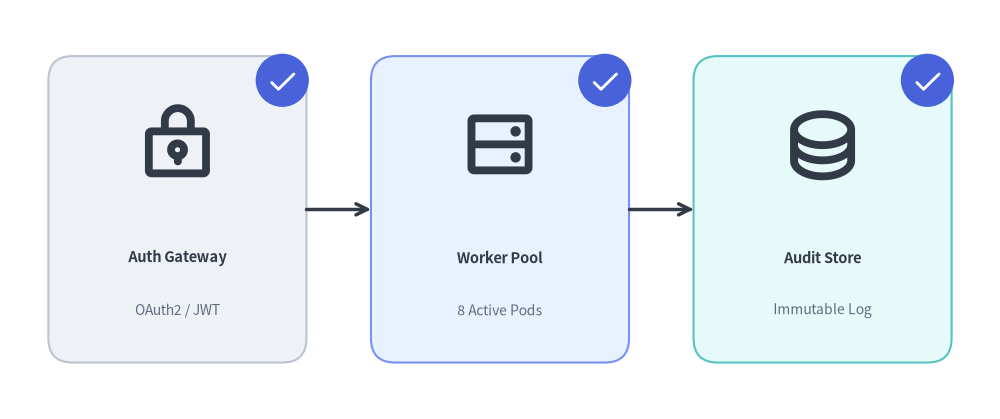
In architectural diagrams and pipelines, pair Phosphor icons with neutral container cards (rectangle) and circular corner badges (circle):
from drawlib.canvas import save, setup
from drawlib.icons import phosphor
from drawlib.lines import line
from drawlib.shapes import circle, rectangle
from drawlib.styles import Styles
from drawlib.text import text

setup(width=124, height=52)

stages = [
    (22, "Auth Gateway", "OAuth2 / JWT", phosphor.lock_key, Styles.Neutral),
    (62, "Worker Pool", "8 Active Pods", phosphor.hard_drives, Styles.PrimaryNeutral),
    (102, "Audit Store", "Immutable Log", phosphor.database, Styles.SecondaryNeutral),
]

for cx, title, subtitle, icon_fn, card_st in stages:
    # 1. Container card
    rectangle((cx, 26), width=32, height=38, style=card_st.patch(shape_r=3))
    # 2. Main Phosphor icon
    icon_fn((cx, 34), width=10, style=Styles.DarkBold)
    # 3. Title & subtitle labels
    text((cx, 20), title, style=Styles.DarkBold.patch(text_size=10.5))
    text((cx, 13.5), subtitle, style=Styles.Muted.patch(text_size=10.0))
    # 4. Corner check badge
    bx, by = cx + 13, 42
    circle((bx, by), radius=3.3, style=Styles.PrimaryFlat)
    phosphor.check((bx, by), width=3.8, style=Styles.WhiteBold)

line((38, 26), (46, 26), arrow_head="->", style=Styles.DarkBold)
line((78, 26), (86, 26), arrow_head="->", style=Styles.DarkBold)

save()
6. Low-Level font_icon() for Custom Icon Fonts
To render glyphs from custom or third-party .ttf icon fonts (such as FontAwesome or corporate icon fonts), use font_icon() from drawlib.icons:
from drawlib.icons import font_icon
from drawlib.styles import Styles

font_icon(
    xy=(50, 25),
    width=12,
    code="\uf09b",  # Unicode glyph code point
    file="assets/fonts/fa-brands-400.ttf",  # Path to .ttf font file
    style=Styles.DarkBold,
)
7. Frequently Used Phosphor Icons by Category
| Category | Popular phosphor.<name> Functions |
|---|---|
| Compute & Systems | cpu, hard_drive, hard_drives, desktop, laptop, device_mobile, terminal_window, code, browser, globe |
| Cloud & Storage | cloud, cloud_arrow_up, cloud_arrow_down, cloud_check, database, folder, file_text, file_code, archive |
| Networking & Git | broadcast, wifi_high, arrows_left_right, git_branch, git_commit, git_merge, git_pull_request, share_network |
| Security & Users | lock, lock_key, shield, shield_check, shield_warning, key, fingerprint, user, users, user_circle |
| Status & Analytics | check, check_circle, warning, warning_circle, info, gear, bell, magnifying_glass, chart_bar, chart_line_up |
[!TIP] For an overview of all 34 icon modules (4,538 total icons)—including Google Cloud (GCP), AWS, Azure, Cloud & Original Cloud, AI & ML, Data & Databases, and Code & Frameworks—see Icons Overview.