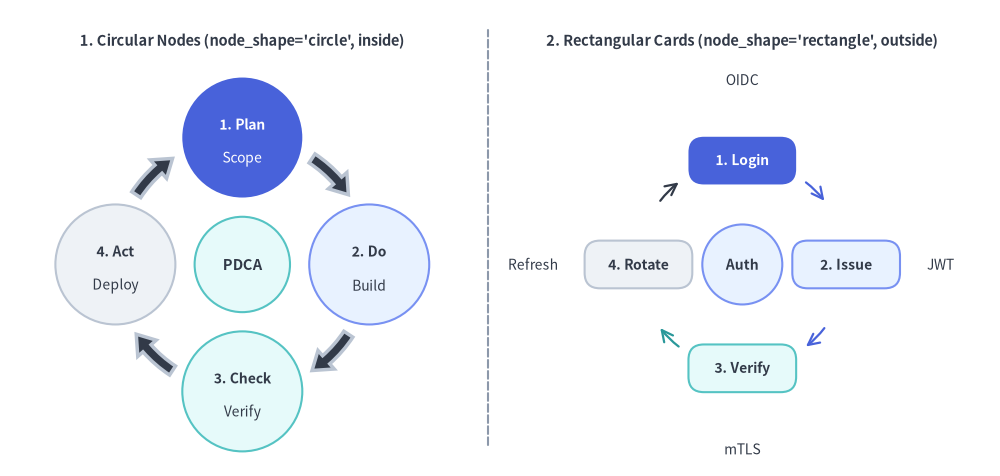
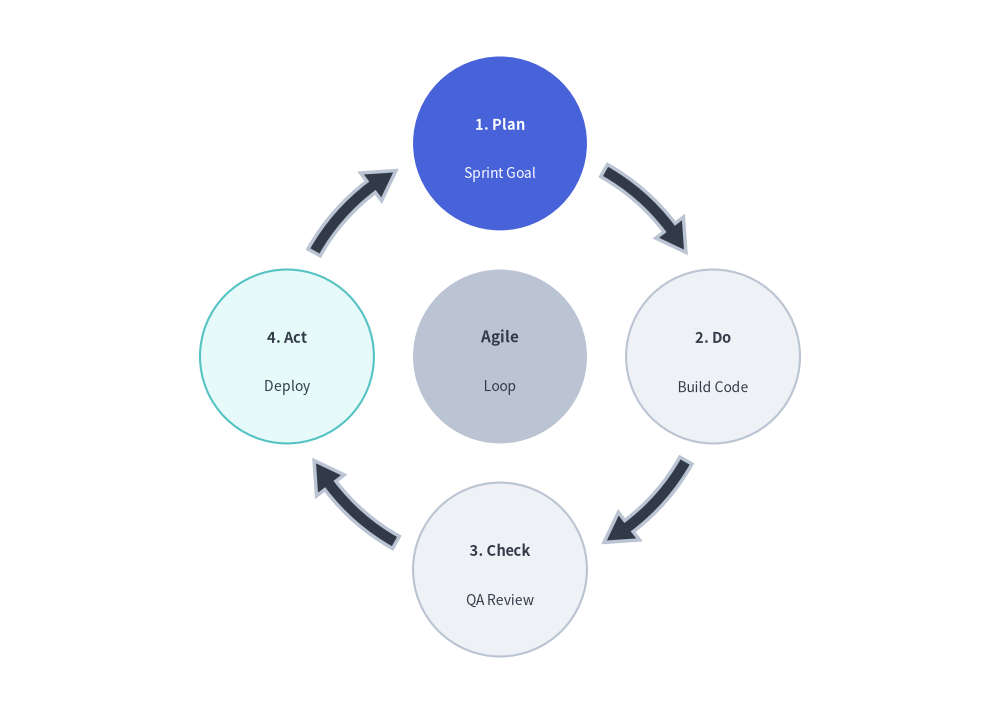
The Cycle component draws circular, repeating process diagrams and continuous feedback loops.
It is ideally suited for Agile/Scrum iterations, PDCA DevOps lifecycles, incident response loops, and token refresh mechanisms.
Overview of Cycle: Circular Node Orbits and Rectangular Card LoopsSource Code
2. Rectangular Nodes with Outside Descriptions & Line Arrows
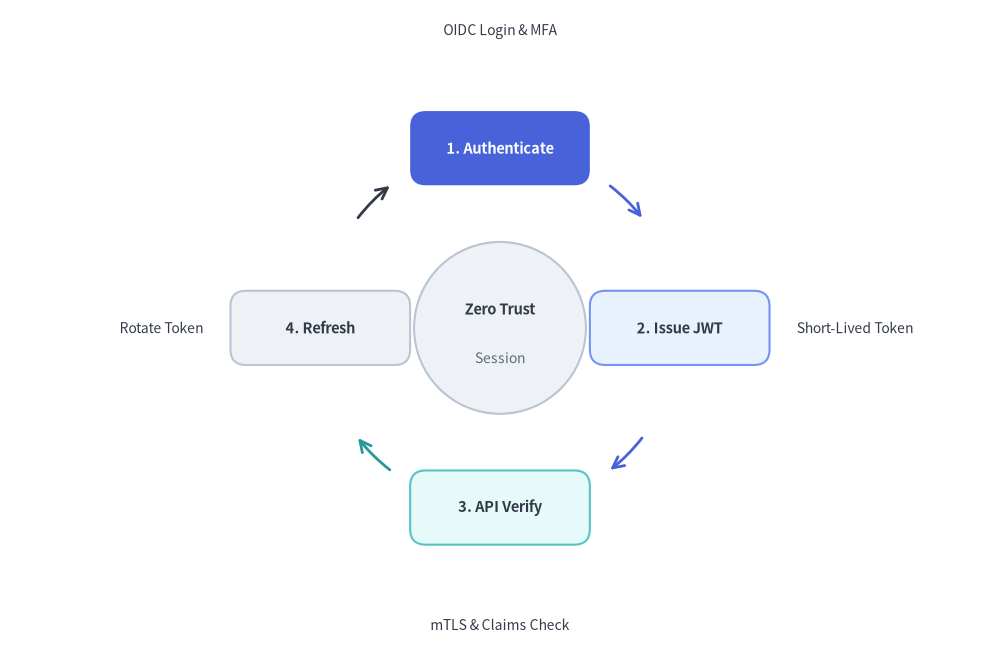
By setting node_shape="rectangle" with node_width and node_height, description_placement="outside", arrow_type="line", and arrow_color_mode="match_source", you can build architectural state loops where rounded rectangular cards are connected by thin arc lines colored after each source stage, with descriptions radiating outward around the perimeter.
fromdrawlib.canvasimportsave,setupfromdrawlib.smartartsimportCyclefromdrawlib.stylesimportStylessetup(width=128,height=84)auth_cycle=Cycle(style=Styles.Neutral,text_style=Styles.DarkBold.patch(text_size=10.5),description_style=Styles.Dark.patch(text_size=10.0),clockwise=True,start_angle=90.0,node_shape="rectangle",node_width=23.0,node_height=9.5,description_placement="outside",arrow_type="line",arrow_width=2.0,arrow_color_mode="match_source",arrow_gap=3.0,)# Top (90 deg) - Hero focal stepauth_cycle.add("1. Authenticate",description="OIDC Login & MFA",style=Styles.PrimaryFlat,text_style=Styles.WhiteBold.patch(text_size=10.5),description_style=Styles.Dark.patch(text_size=10.0),)# Right (0 deg) - left-align outside description so it extends cleanly rightwardauth_cycle.add("2. Issue JWT",description="Short-Lived Token",style=Styles.PrimaryNeutral,text_style=Styles.DarkBold.patch(text_size=10.5),description_style=Styles.Dark.patch(text_size=10.0,halign="left"),arrow_style=Styles.PrimaryBold,)# Bottom (270 deg)auth_cycle.add("3. API Verify",description="mTLS & Claims Check",style=Styles.SecondaryNeutral,text_style=Styles.DarkBold.patch(text_size=10.5),description_style=Styles.Dark.patch(text_size=10.0),arrow_style=Styles.SecondaryBold,)# Left (180 deg) - right-align outside description so it extends cleanly leftwardrotate_step=auth_cycle.add("4. Refresh",description="Rotate Token",style=Styles.Neutral,text_style=Styles.DarkBold.patch(text_size=10.5),description_style=Styles.Dark.patch(text_size=10.0,halign="right"),)# Customize outgoing arrow style on the neutral step via CycleItem mutationrotate_step.arrow_style=Styles.DarkBoldauth_cycle.set_center(text="Zero Trust",description="Session",radius=11.0,style=Styles.Neutral,text_style=Styles.DarkBold.patch(text_size=10.5),description_style=Styles.Muted.patch(text_size=10.0),)auth_cycle.draw(xy=(64,42),radius=23.0,align="center")save()
Rectangular Cycle with Outside Descriptions (node_shape='rectangle', arrow_type='line', arrow_color_mode='match_source')
3. Geometry & Coordinate Mechanics
Anchor Modes (align="center" vs. align="bottom_left"):
align="center"(default): xy=(cx, cy) specifies the exact center hub of the orbit circle.
align="bottom_left": xy=(x, y) specifies the bottom-left corner of the cycle's outer bounding box (automatically offsetting the orbit center by radius + node_half_extent + margin).
Equi-Angular Distribution: Steps are spaced evenly along the orbit circumference of radius R:
$$\theta_i = \text{start_angle} \mp \left(i \cdot \frac{360^\circ}{N}\right)$$
"circle"(default): Circular step nodes sized by node_radius (default 8.0).
"rectangle": Rounded rectangular cards sized by node_width and node_height (default 18.0 and 10.0, with default corner radius shape_r=2.0 unless overridden on style).
"none": Floating text labels without a background shape.
Description Placement (description_placement):
"inside"(default): Renders both title and description stacked inside the node boundary.
"outside": Renders the title centered inside the node and places the description radially outside the node along its orbit angle.
Custom node shape style (falls back to constructor style).
description
str
""
Optional secondary description text.
text_style
Style | None
None
Custom title text style (falls back to constructor text_style).
description_style
Style | None
None
Custom description text style (falls back to constructor description_style).
arrow_style
Style | None
None
Custom style for the connector arrow departing from this step.
show
bool
True
Whether to render this step and its adjacent arrows. Preserves angular positions of all other steps when False.
cycle.set_center(text, *, style=None, description="", radius=None, text_style=None, description_style=None, show=True) -> CycleCenter: Configures the central hub circle and returns the mutable CycleCenter model.